manage_media_columns
Allows you to change the list of registered columns in the Media table.
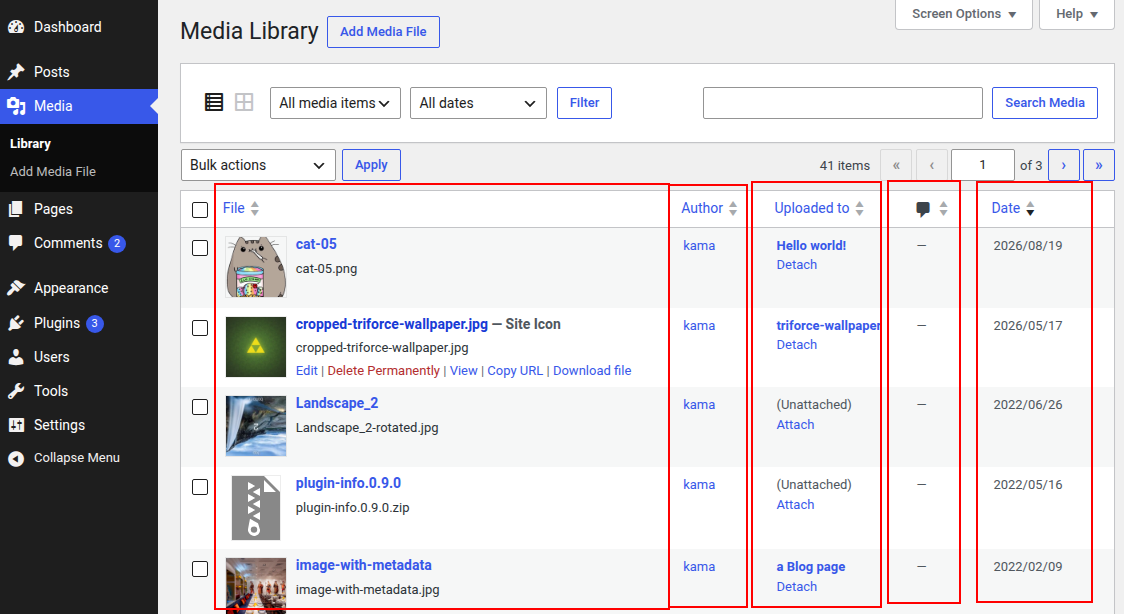
You can populate a custom column with data using the manage_media_custom_column hook.
Usage
add_filter( 'manage_media_columns', 'wp_kama_manage_media_columns_filter', 10, 2 );

/**
 * Function for `manage_media_columns` filter-hook.
 *
 * @param string[] $posts_columns An array of columns displayed in the Media list table.
 * @param bool     $detached      Whether the list table contains media not attached to any posts.
 *
 * @return string[]
 */
function wp_kama_manage_media_columns_filter( $posts_columns, $detached ){
	// filter...
	return $posts_columns;
}
- $posts_columns(array)
- The list of columns as an array where each key is a column name and its value is the column heading.
- $detached(true/false)
- Whether the table contains media files (attachments) that are not attached to posts.
Default: true
Examples
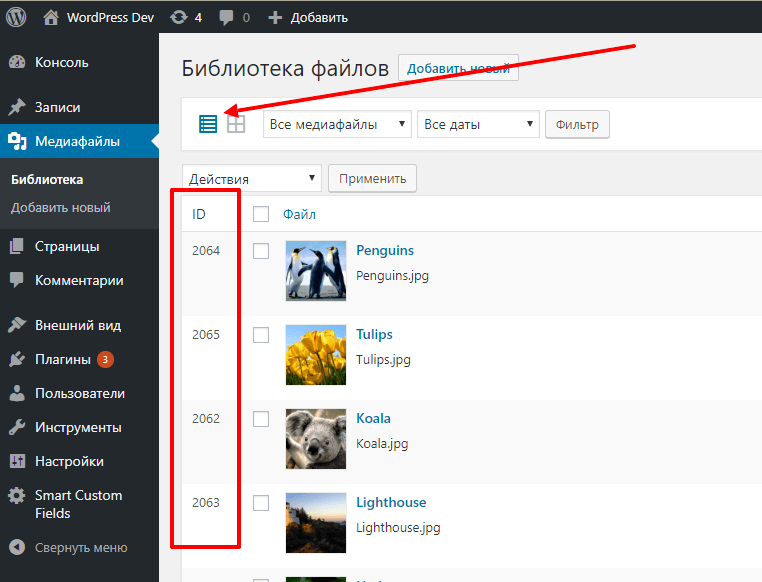
#1 Add a column containing attachment IDs
<?php

add_filter( 'manage_media_columns', 'add_my_column_in_media_table' );
add_action( 'manage_media_custom_column', 'fill_my_column_in_media_table', 10, 2 );

/**
 * Creates a new column.
 *
 * @param array $columns
 *
 * @return array
 */
function add_my_column_in_media_table( $columns ) {
	// Add a hook that will output styles for our column in the footer
	add_action( 'admin_footer', 'add_my_column_in_media_table_css' );

	// Add the column at the beginning
	return [ 'id-image' => 'ID' ] + $columns;
}

/**
 * Fills the column with data.
 *
 * @param string $colname
 * @param int    $post_id
 */
function fill_my_column_in_media_table( $colname, $post_id ) {
	if ( $colname === 'id-image' ) {
		echo (int) $post_id;
	}
}

/**
 * Outputs styles for the "ID" column on the screen.
 */
function add_my_column_in_media_table_css() {
	?>
	<style type="text/css">
		#id-image {
			width: 40px;
		}
	</style>
	<?php
}
Changelog
| Since 2.5.0 | Introduced. |
Where the hook is called
manage_media_columns
wp-admin/includes/class-wp-media-list-table.php 423
return apply_filters( 'manage_media_columns', $posts_columns, $this->detached );