manage_posts_columns
Allows you to change the list of registered columns in the admin post table for any post type except page.
To change columns in the standard Pages table (post_type=page), use the manage_pages_columns or manage_(post_type)_posts_columns filter.
Usage
add_filter( 'manage_posts_columns', 'wp_kama_manage_posts_columns_filter', 10, 2 );

/**
 * Function for `manage_posts_columns` filter-hook.
 *
 * @param string[] $posts_columns An associative array of column headings.
 * @param string   $post_type     The post type slug.
 *
 * @return string[]
 */
function wp_kama_manage_posts_columns_filter( $posts_columns, $post_type ){
	// filter...
	return $posts_columns;
}
- $post_columns(string[])
An associative array of columns (their keys and names). For example, the default array for “Posts” looks like this:
Array (
	[cb] => <input type="checkbox" />
	[title] => Title
	[author] => Author
	[categories] => Categories
	[tags] => Tags
	[comments] => <span class="vers comment-grey-bubble" title="Comments"><span class="screen-reader-text">Comments</span></span>
	[date] => Date
)
- $post_type(string)
- The post type slug, for example,
post,news,product, and so on.
Examples
#1 Change a column name
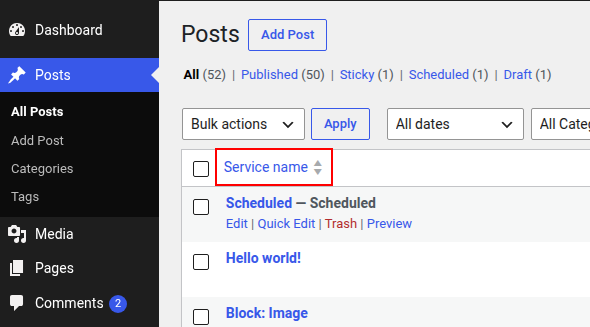
Suppose you registered a post type named “Services” with the “service” slug and now want to rename the “Title” column to “Service name”:
add_filter( 'manage_posts_columns', 'change_title_in_table_services', 10, 2 );

function change_title_in_table_services( $post_columns, $post_type ) {
	if ( 'service' === $post_type ) {
		$post_columns['title'] = 'Service name';
	}

	return $post_columns;
}
Changelog
| Since 1.5.0 | Introduced. |
Where the hook is called
manage_posts_columns
wp-admin/includes/class-wp-posts-list-table.php 738
$posts_columns = apply_filters( 'manage_posts_columns', $posts_columns, $post_type );