Kama Postviews
Counts page/term views via AJAX. Filters out robot counts (counts only real visits). Properly stores data in the DB so that over time your DB does not become gigabytes heavy.
The AJAX request does not use the WordPress environment — this significantly reduces server load!
The plugin is designed to work in conjunction with page caching plugins, for example, WP Super Cache and similar.
Allows retrieving posts/terms by the number of views.
Counts views not only for posts, but for all WordPress entities:
- Posts (any post types)
- Terms (categories, tags, custom taxonomies)
- Home page
- 404 page
- Author archives, by date, etc.
What to count and what not to count is configurable in the admin area.
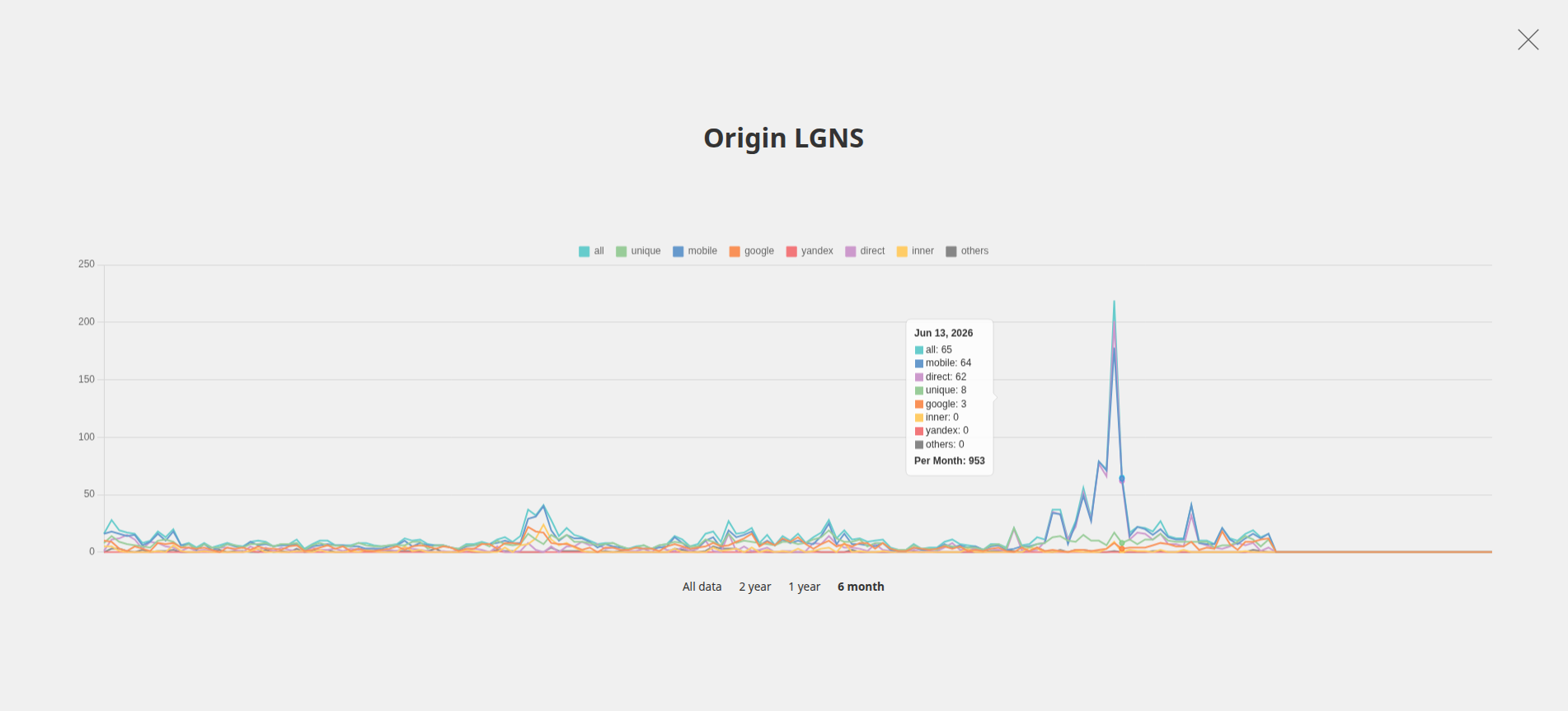
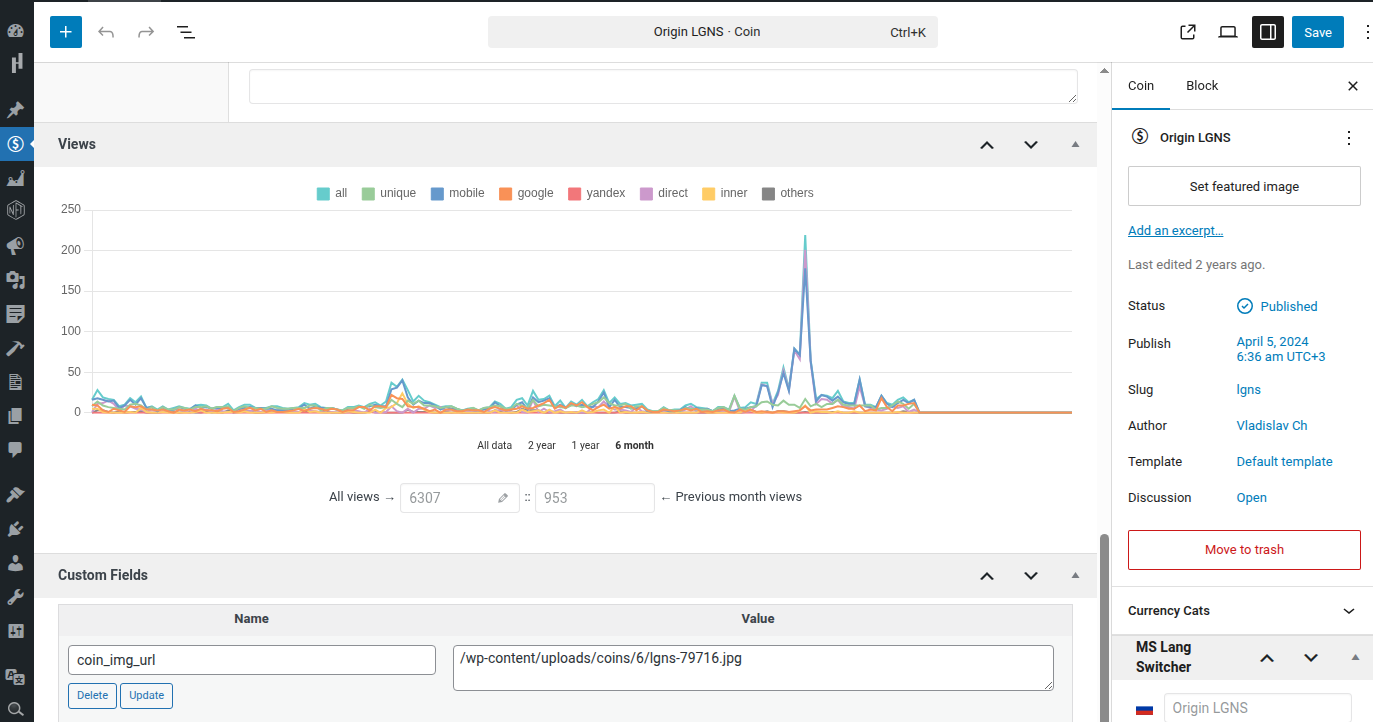
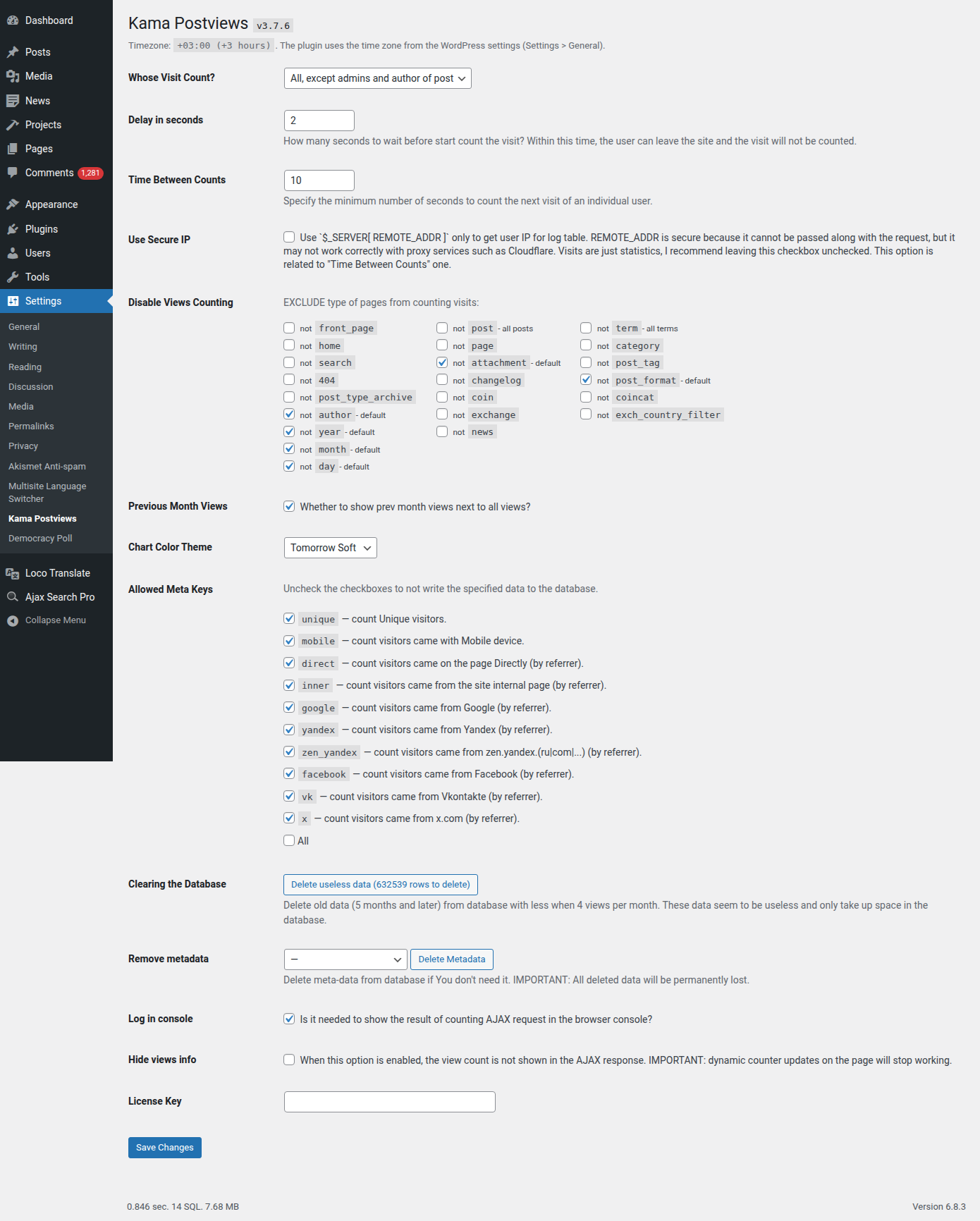
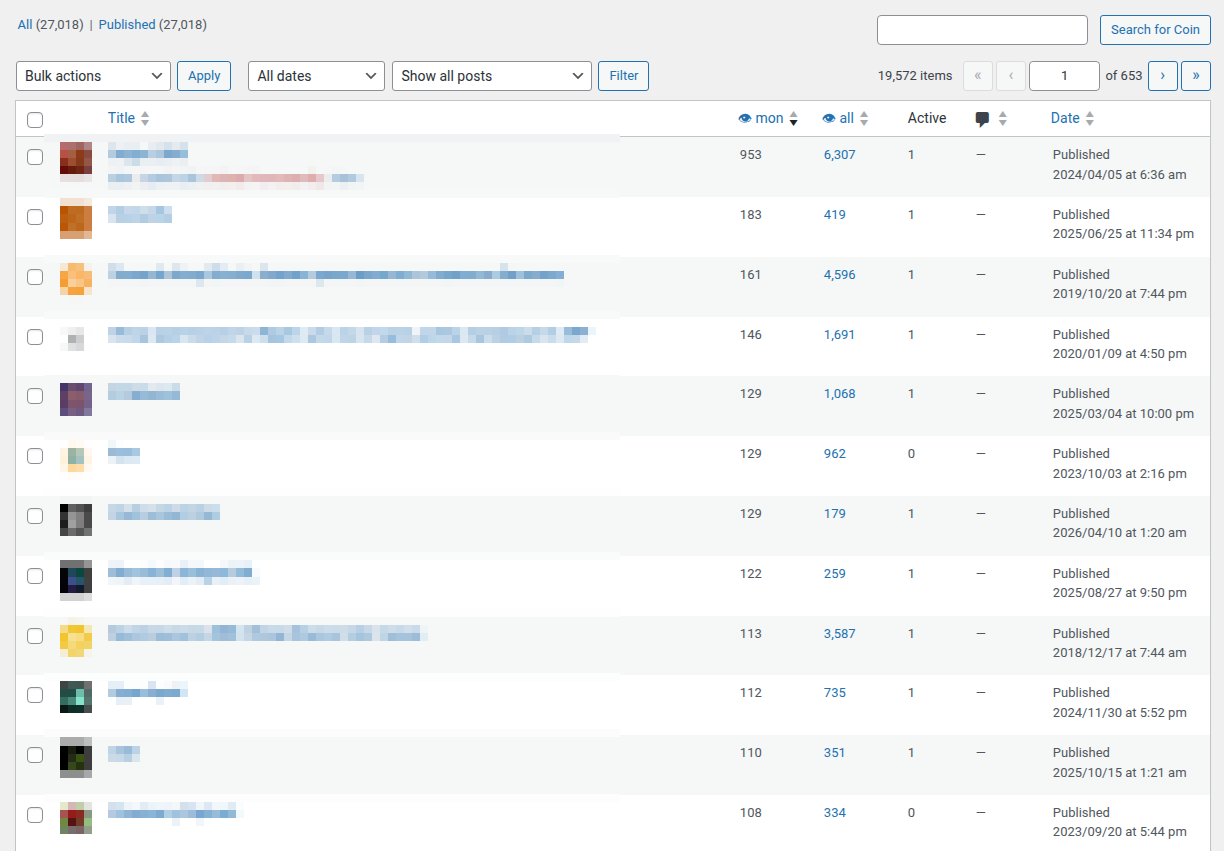
How to output views in a template
There are functions for this:
These are wrappers for the functions below. They combine the display of all views and monthly views (if settings specify that monthly data should also be shown).
The function get_kpv_fresh_views() is exactly like get_kpv_views(), with the only difference that it is intended for use when a page caching plugin is enabled on the site. It outputs the value from the DB and then this value is updated via AJAX.
Or you can use the functions kpv_get_post_meta_views() or kpv_get_term_meta_views():
// Posts
echo 'Views: ' . kpv_get_post_meta_views( $post_id );

// Taxonomy terms (terms)
echo 'Views: ' . kpv_get_term_meta_views( $term_id );
These functions are wrappers for WordPress functions get_post_meta() and get_term_meta().
Plugin functions
get_kpv_views()
Gets the number of views for a post or term. You can specify to output plain numbers without HTML.
The underlying function automatically determines the post/term ID and the current page type. It is designed for use on post pages is_singular() and term pages is_tax().
If you are using a page caching plugin, you should use the function get_kpv_fresh_views(), not this function.
Usage
$views = get_kpv_views( $id, $type, $use_html = true );
- $id(integer)
- Post ID or Term ID.
Default: 0 (ID of the current post or ID of the current term) - $type(string)
Type of the passed ID. May be:
- term — for taxonomy elements
- post — for posts
Default: '' (type of the viewed page)
- $use_html(true|false)
- Return HTML or just numbers?
Default: true (Return HTML)
Examples
What the function outputs.
$views = get_kpv_views();
Will get into $views:
<span class="fresh-views__all all-views">13097</span>
<small class="fresh-views__month prev-m-views">36</small>
Output the result on screen:
<?php echo get_kpv_views() ?>
Specify a particular post:
$views = get_kpv_views( 1, 'post' );
Disable HTML:
$views = get_kpv_views( 1, 'post', false ); // 13097, 36
Specify a particular taxonomy element:
$views = get_kpv_views( 1, 'term' );
get_kpv_fresh_views()
Gets the number of views. The value is updated when an AJAX response is received after the next visit is counted.
This is the same function as get_kpv_views(), but is intended to work with page caching plugins, for example, “WP Super Cache”.
Usage
$views = get_kpv_fresh_views( $id, $type );
- $id(integer)
- Post ID or Term ID.
Default: 0 (ID of the current post or ID of the current term) - $type(string)
Type of the passed ID. May be:
- term — for taxonomy elements
- post — for posts
Default: '' (type of the viewed page)
Examples
Automatically determine the post/term ID and the page type.
Designed for use on post pages is_singular() and term pages is_tax().
$views = get_kpv_fresh_views();
Will get into $views:
<span class="fresh-views ajax_views_js">
	<span class="fresh-views__all all-views">13097</span>
	<small class="fresh-views__month prev-m-views">36</small>
</span>
Output the result on screen:
<?php echo get_kpv_fresh_views() ?>
Specify a particular post:
<?php kpv_fresh_views( $post_id, 'post' ) ?>
Specify a particular term (taxonomy element):
<?php kpv_fresh_views( $term_id, 'term' ) ?>
kpv_get_post_meta_views() and kpv_get_term_meta_views()
Gets the number of views stored in the post meta field.
The original view data is stored in separate plugin tables. To get data from there, use the functions get_kpv_views()
get_kpv_fresh_views().
These functions can be useful when you need to display the view count in a list of posts for each item.
These functions do not work with page caching plugins. They are simply wrappers for WordPress functions: get_post_meta() and get_term_meta().
Returns
int. The number of views for a post or term.
Usage
$post_views = kpv_get_post_meta_views( $post_id, $type );
$term_views = kpv_get_term_meta_views( $term_id, $type );
- $post_id|$term_id(integer) (required)
- Post ID or Term ID.
- $period(string)
For what period data is needed. May be:
- all — (default) for all time.
- month — for the previous month (for the whole month—the current month is probably not finished yet, so data for the previous month is used).
Default: 'all'
Examples
Output the number of views for a post in a list of posts:
<?php
while ( have_posts() ){
	the_post();
	$post_id = get_the_ID();
	?>
	<!-- Output posts, loop functions: the_title() etc. -->

	<?php echo kpv_get_post_meta_views( $post_id, 'all' ) ?>
	/
	<?php echo kpv_get_post_meta_views( $post_id, 'month' ) ?>
	<?php
}
?>
kpv_get_popular_posts()
Gets post objects (WP_Post objects) sorted by views. Works on the basis of the primary data from the plugin’s table.
Wrapper for the function kpv_get_viewed_objects(). Sets default parameters and processes the result through get_posts() to return WordPress post objects.
Returns
WP_Post[]. Array of WP_Post objects.
Usage
$posts = kpv_get_popular_posts( $args );
- $args
- See available parameters in the description of kpv_get_viewed_objects().
kpv_get_popular_terms()
Gets term objects (WP_Term objects) sorted by views. Similar to the previous one, but works with terms.
Wrapper for the function kpv_get_viewed_objects().
Returns
WP_Term[]. Array of WP_Term.
Usage
$terms = kpv_get_popular_terms( $args );
- $args
- See available parameters in the description of kpv_get_viewed_objects().
kpv_get_viewed_objects()
Base function for obtaining view data from the plugin’s data table.
Returns
Array. Array of objects with the object id (post, term, etc.) and the number of views for that object in the specified period, day.
Array
	[37] => stdClass Object
			[obj_id] => 37
			[views] => 483

	[11] => stdClass Object
			[obj_id] => 11
			[views] => 465
Empty array- when posts are not found.
Usage
$objects = kpv_get_viewed_objects( $args );
- $args(array)
Fetches the most viewed posts (or other types) for the specified time period and sorts them by views. Time values should be provided in UTC (GMT), not the site's local time. The array of parameters:
-
type(string) (required)
Type of data to retrieve. May be:post,term,front_page,search,404,post_type_archive,year,month,day.
Default: 'post' -
post_type(string|array)
Name of the post type if$type = post. You can specify several in an array.
Default: post -
taxonomy(string|array)
Name of the taxonomy if$type = term. You can specify several in an array.
Default: category -
object_ids(array)
IDs of objects (posts, terms, users) from which to select. -
exclude(array)
IDs of objects to exclude from the selection. -
for_range(string)
Period for which to obtain popular posts. Format:2017-08-01,2017-09-16.If you specify a single date, the next date will be the current one.
Instead of any date you can use a relative format. Relative format examples:
today,yesterday,-2 dayor2 days ago,-2 monthor2 months ago,first day of -2 month.
Default: '' -
for_day(string)
Day for which to get popular objects (posts, terms). Format:2017-08-01. You can specify a relative format.
Default: '' -
for_month(string)
Month for which to get popular objects. Format:2017-08or2017-08-xx. You can specify a relative format.
Default: '' -
limit(int)
How many objects to retrieve.
Default: 20 -
offset(int) (since 3.6.4)
Offset beforelimitto enable pagination.
Default: 0 (not set) -
paged(int) (since 3.6.4)
Page number for pagination (wrapper so you don’t need to calculate $offset based on $limit). Works only if$offsetis not set (offset has higher priority).
Default: 1 -
order(string)
How to sort.
Default: DESC (popular first) -
meta_key(array) (since 3.4.0)
Query by WP meta fields. Seemeta_queryparameter. -
meta_compare(array) (since 3.4.0)
Query by WP meta fields. Seemeta_query. -
meta_value(array) (since 3.4.0)
Query by WP meta fields. Seemeta_query. - meta_query(array) (since 3.4.0)
Query by WP meta fields. Works only when$type = postor$type = term. Full list of related parameters see WP_Query meta_query description.
-
Notes
Dates in the plugin
All dates in the plugin’s table are aligned to UTC (GMT) time zone. Therefore, if you need exact data, convert the input data to GMT and vice versa.
Post meta fields. Duplicating view counts in meta fields
The plugin writes views to its own table as well as to the meta fields of posts/terms. Meta field data is duplicated to conveniently display views in loops using the basic WordPress cache. This also allows changing the number of views in meta fields without touching the original data stored in the plugin’s table.
By default meta field names are:
views— all views of the post/term, for all time.views_prev_month— total views of the post/term for the previous month.
These names can be changed: in the file wp-config.php define the constants:
define( 'KPV_META_KEY', 'my__views' );
define( 'KPV_PREV_MONTH_META_KEY', 'my__views_prev_month' );
For the previous month, data is stored to see how many people visit the article for a full month. This data is updated every month from the original data. So, for example, if an article was visited before but now isn’t, you’ll see in this column that the article is dead and no longer visited.
If you already had the plugin installed and the meta field name differs, you can rename the meta field with an SQL query so as not to add the constants above to wp-config.php.
// replace post_views_count with yours, the key you want to rename
$old_meta_key = 'post_views_count';

global $wpdb;
$up = $wpdb->query( $wpdb->prepare(
	"UPDATE $wpdb->postmeta SET meta_key = 'views' WHERE meta_key = %s",
	$old_meta_key
) );

die( "Processed rows: $up" );
Examples
#1 Popular Posts Yesterday
This example fetches the 10 most popular posts (posts of type post). 10 posts sorted by views for yesterday.
To get popular posts for a period (e.g., last week), use the for_range parameter instead of for_day.
<?php
global $post;

$posts = kpv_get_popular_posts( [
	'post_type' => 'post',      // post type
	'for_day'   => 'yesterday', // for yesterday, write '-2 days'
	//'for_range' => '-7 days',   // for the last 7 days (week)
	//'for_month' => '2017-08',   // for last month, write '-31 day'
	'limit'     => 10,
] );

foreach( $posts as $post ){
	setup_postdata( $post );

	$views = $post->views . '/' . get_post_meta( $post->ID, KPV_META_KEY, true );
	?>
	<h2>
		<a href="<?php the_permalink() ?>">
			<?php the_title() ?> ( <?= esc_html( views ) ?> )
		</a>
	</h2>
	<?php
}

wp_reset_postdata();
#1.1 Posts for a week (most popular)
Note! There can be two ways to obtain popular posts, for example:
-
Popular posts for a week — posts with the maximum views during the week (it doesn’t matter when the post was published, it can be last year, but it is the most viewed).
- Posts for the week (most popular) — posts published during the week sorted by views.
For 1 and 2 the code will be completely different.
Any popular posts for a week:
$posts = kpv_get_popular_posts( [
	'post_type' => 'post',
	'for_range' => '-7 days',
	'limit'     => 10,
] );

foreach( $posts as $post ){
   echo "$post->post_title ($post->views)\n";
}
Posts for the week (by popularity):
The plugin for convenience copies the total number of views to the meta field views. Therefore we can use the standard WordPress function get_posts().
Get posts for the last week and sort them by popularity:
$posts = get_posts( [

	'post_type' => 'post',

	'date_query' => [
		'after' => '7 days ago',
	],

	'meta_query' => [
		'meta_views' => [
			'key' => 'views',
			'type' => 'NUMERIC',
		],
	],

	'orderby' => [ 'meta_views' => 'desc' ],

	'limit' => 10,
] );

foreach( $posts as $post ){
   echo "$post->post_title ($post->views)\n";
}
Or you can get, for example, posts for the last month and from them obtain the most popular for the week:
// get posts

$posts_ids = get_posts( [
	'post_type' => 'post',
	'date_query' => [
		'after' => '1 month ago',
	],
	'fields' => 'ids',
	'posts_per_page' => -1,
] );

// get the most viewed of them (for the week)

$posts = kpv_get_popular_posts( [
	'post_type'  => 'post',
	'for_range'  => '-7 days',
	'object_ids' => $posts_ids,
	'limit'      => 5,
] );

foreach( $posts as $post ){
	echo "$post->post_title ($post->views)\n";
}
#2 Popular terms for yesterday
This example gets the 10 most popular taxonomy terms of my_tax. 10 terms sorted by views for yesterday.
To data for a period (for example, last week), use the parameter for_range instead of for_day.
$terms = kpv_get_popular_terms( [
	'taxonomy'  => 'category',
	'for_range'   => '-30 day', // for yesterday, use '-2 days'
	//'for_range' => '-7 days',   // for the last 7 days (week)
	'limit'     => 10,
] );

foreach( $terms as $term ){
	echo "<h2>$term->term_id - ". esc_html( $term->name ) ."( $term->views )</h2>";
}
#3 Popular posts from two categories
Creating such a query via kpv_get_popular_posts() is not possible. Because it outputs popular posts or terms by type and period. The query is made to the plugin’s main data table, which has no category linkage. Theoretically you could join queries with JOIN to reach categories, but the SQL would be quite complex.
To get popular posts from categories, you can use a basic WP_Query request by metadata and categories. To create such a query you will need one of the two post meta fields:
views— stores the total number of views.views_prev_month— stores the number of views for the previous month (you can roughly consider it for a month).
$posts = get_posts( [
	'post_type'      => 'post',
	'posts_per_page' => 10,
	'tax_query'      => [
		[
			'taxonomy' => 'category',
			'field'    => 'slug',
			'terms'    => [ 'codex', 'functions' ],
		],
	],
	'meta_query' => [
		'views_count' => [
			'key'  => 'views', // views, views_prev_month
			'type' => 'NUMERIC',
		],
	],
	'orderby'  => [ 'views_count'=>'DESC' ],
] );

global $post;
foreach( $posts as $post ){
	setup_postdata( $post );

	echo esc_html( get_the_title() ) .' - '. number_format( get_post_meta( $post->ID, 'views', 1 ) ) .'<br>';
}
wp_reset_postdata();
#4 Views for a single post over a specified period
When you need to get the number of views for a single post over a specified period, you can use the function kpv_get_viewed_objects:
$post_id = 1;
$objects = kpv_get_viewed_objects( [
	'post_type'  => 'post',
	'for_range'  => '2021-01-01,2021-12-31', // or '-1 year'
	'object_ids' => $post_id,
	'limit'      => 999,
] );

$obj = array_shift( $objects );

echo $obj->views;
You can analogously get views for several posts, terms, etc..
Likewise you can get views for a term, the home page or any other page.
#6 Views for the homepage
Get homepage views for 2021:
$objects = kpv_get_viewed_objects( [
	'type'      => 'front_page',
	'for_range' => '2021-01-01,2021-12-31', // or '-1 year'
	'limit'     => 99999,
] );

$obj = array_shift( $objects );

echo $obj->views;
#5 Total views for the entire post type
The code below counts all views of all posts of type post for 2021:
$objects = kpv_get_viewed_objects( [
	'post_type' => 'post',
	'for_range' => '2021-01-01,2021-12-31', // or '-1 year'
	'limit'     => 99999,
] );

$views = wp_list_pluck( $objects, 'views' );
$sum = array_sum( $views );

echo $sum; // 505272
If there are many posts of the post type, it’s better to write a separate query to the DB.
Deprecated functions
kpv_views()
Outputs the result of the function get_kpv_views().
Deprecated since version 3.5.5., use instead:
<?php echo get_kpv_views( $id, $type ) ?>
kpv_fresh_views()
Outputs the result of the function get_kpv_fresh_views().
Deprecated since version 3.5.5., use instead:
<?php echo get_kpv_fresh_views( $id, $type ) ?>