Typing text on screen (Javascript)
A JavaScript script that sequentially types article titles as links. The text appears character by character, like on a typewriter. After a short pause, the next title is displayed, and then the cycle repeats.
Texts and link addresses are provided in the data array. Typing speed is controlled by the typingSpeed parameter, and the pause between titles by switchTimeout. Both values are in milliseconds.
DemoRecommended: <a id="Ticker" href="http://example.com/default_link">Here you can enter a default link.</a>
<script>
autotypingText( {
typingSpeed: 50, // typing speed
switchTimeout: 2000, // time to wait before switching between elements
element: document.getElementById( 'Ticker' ),
data: [
{
text: 'Webmaster Yandex Plugin for WordPress',
url: 'http://wp-kama.ru/4015'
},
{
text: 'Kama Thumbnail: WordPress plugin for creating post thumbnails',
url: 'http://wp-kama.ru/142'
},
{
text: 'Configuring robots.txt for WordPress',
url: 'http://wp-kama.ru/id_803/pishem-pravilnyiy-robotstxt-dlya-wordpress.html'
},
{
text: 'WP-Cumulus: 3D tag cloud on flash (improved Russian version)',
url: 'http://wp-kama.ru/4271'
},
{
text: 'Plugin to protect against spam in WordPress comments',
url: 'http://wp-kama.ru/95'
},
{
text: 'Plugin for easy site management on WordPress (version 3)',
url: 'http://wp-kama.ru/note/plagin-dlya-legkogo-upravleniya-saytom-na-wordpress-versiya-3'
},
{
text: 'Automatic textarea stretching with javascript and jQuery',
url: 'http://wp-kama.ru/112'
},
],
} )
/**
* Typing text - Ticker
* @param {object} args
*/
function autotypingText( args ){
let itemCount = Number( args.data.length );
let curItemIndex = -1;
let currentLength = 0;
let theText = '';
runTheTicker();
function runTheTicker(){
let theHold
// Transition to the next element
if( currentLength === 0 ){
curItemIndex++;
curItemIndex = curItemIndex % itemCount;
theText = args.data[curItemIndex].text.replace( /"/g, '-' );
args.element.href = args.data[curItemIndex].url;
}
// Place the current text in the anchor with typing
args.element.innerHTML = theText.substring( 0, currentLength ) + znak();
// Compute substring length and determine timer
if( currentLength !== theText.length ){
currentLength++;
theHold = args.typingSpeed;
}
else{
currentLength = 0;
theHold = args.switchTimeout;
}
// Repeat the loop with delay
setTimeout( runTheTicker, theHold );
}
function znak(){
return ( currentLength === theText.length ) ? '' : '|';
}
}
</script>
Data from WordPress
In WordPress, the list of links can be formed from posts with an arbitrary field my_recommended. Get their titles and URLs, convert the array to JSON and pass it into autotypingText():
<?php
$query = new WP_Query( 'meta_key=my_recommended' );
$data = [];

while( $query->have_posts() ){
	$query->the_post();

	$data[] = [
		'text' => get_the_title(),
		'url' => get_permalink()
	];
}

wp_reset_query();

$dataJsObject = json_encode( $data, JSON_UNESCAPED_UNICODE | JSON_UNESCAPED_SLASHES | JSON_PRETTY_PRINT );

?>
<script>
autotypingText( {
	typingSpeed: 50,       // typing speed
	switchTimeout: 2000,   // time to wait before switching between elements
	element: document.getElementById( 'Ticker' ),
	data: <?= $dataJsObject ?>,
} );
</script>
Plain Typing Text
If you don’t need to switch links, use the printText() function. It gradually outputs the contents of the specified element. The delay between steps is controlled by the letterTimeout variable.
Example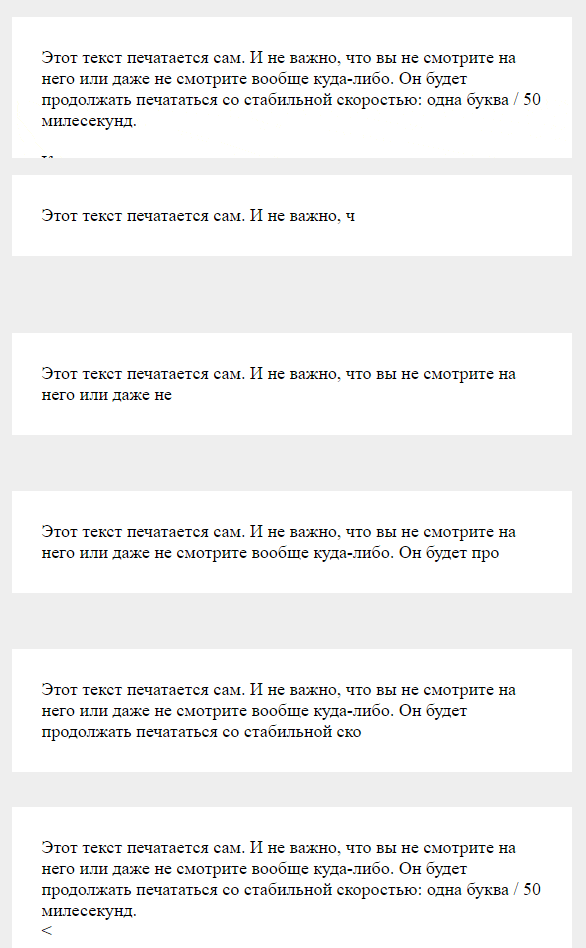
<div id="my-text">
This text appears gradually, as if typed on a keyboard. <br><br>

Typing speed is set in the script. <br><br>

After all the text is displayed the animation stops.
</div>

<script>
// init
printText( document.getElementById( 'my-text' ) );

function printText( el ){

	let letterTimeout = 20

	let text = el.innerHTML
	let i = 1

	print__fn() // init

	function print__fn(){

		if( i <= text.length ){
			el.innerHTML = text.substr( 0, i );
			setTimeout( arguments.callee, letterTimeout );
		}

		i++;
	}

}
</script>
Conclusion
The typing text effect in JavaScript, or the typewriter effect, allows showing text gradually, letter by letter. The article covers two variants: cyclical output of link titles and a one-time text typing animation. Both examples work without jQuery and external libraries. They can be used for a recommendations block, changing captions, or introductory text on a site, including WordPress.