Adding Fields to a Specific Category
Advanced Custom Fields (ACF)- All ACF Functions
- All ACF Hooks
- Registering Fields via PHP
- Adding Fields to a Specific Category
- Adding Fields to Taxonomy Terms
- Local JSON Function
Out of the box, in Advanced Custom Fields there is no condition to display a field group on the edit page of a specific category. In this note, we will write such rules.
Explanatory video
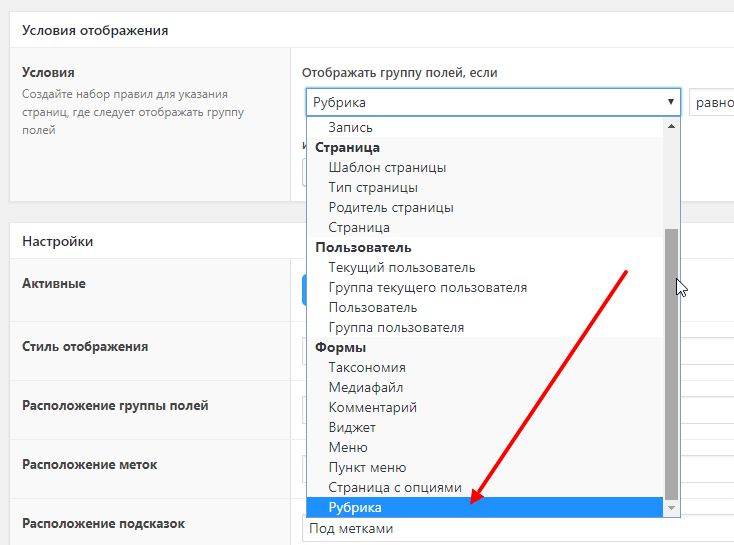
Adding a condition to the dropdown list
add_filter( 'acf/location/rule_types', 'acf_location_rules_types', 999 );
function acf_location_rules_types( $choices ) {
	$key = __('Forms', 'acf');

	if ( ! isset( $choices[ $key ] ) ) {
		$choices[ $key ] = [];
	}

	$choices[ $key ]['category_id'] = __( 'Category' );

	return $choices;
}
So far this is just an option, but there is no selection of the categories that are created on the site. We’ll do that in the next step.
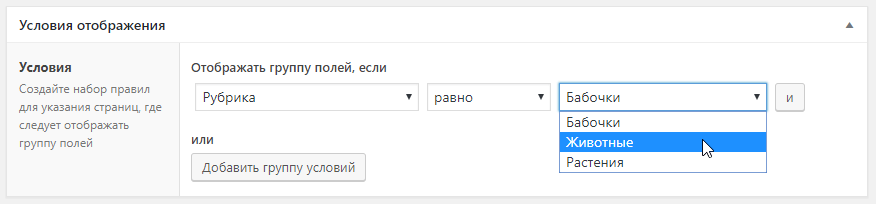
Adding the ability to select a specific category
add_filter( 'acf/location/rule_values/category_id', 'acf_location_rules_values_category' );
function acf_location_rules_values_category( $choices ) {
	$terms = get_terms( 'category', [ 'hide_empty' => false ] );

	if ( $terms && is_array( $terms ) ) {
		foreach ( $terms as $term ) {
			$choices[ $term->term_id ] = $term->name;
		}
	}

	return $choices;
}
Now the dropdown option has a list of all our categories. There’s no need to write the functionality to save the value—ACF will do it for us. Now we need to “tell” ACF where to output the form.
Outputting fields on the category edit page
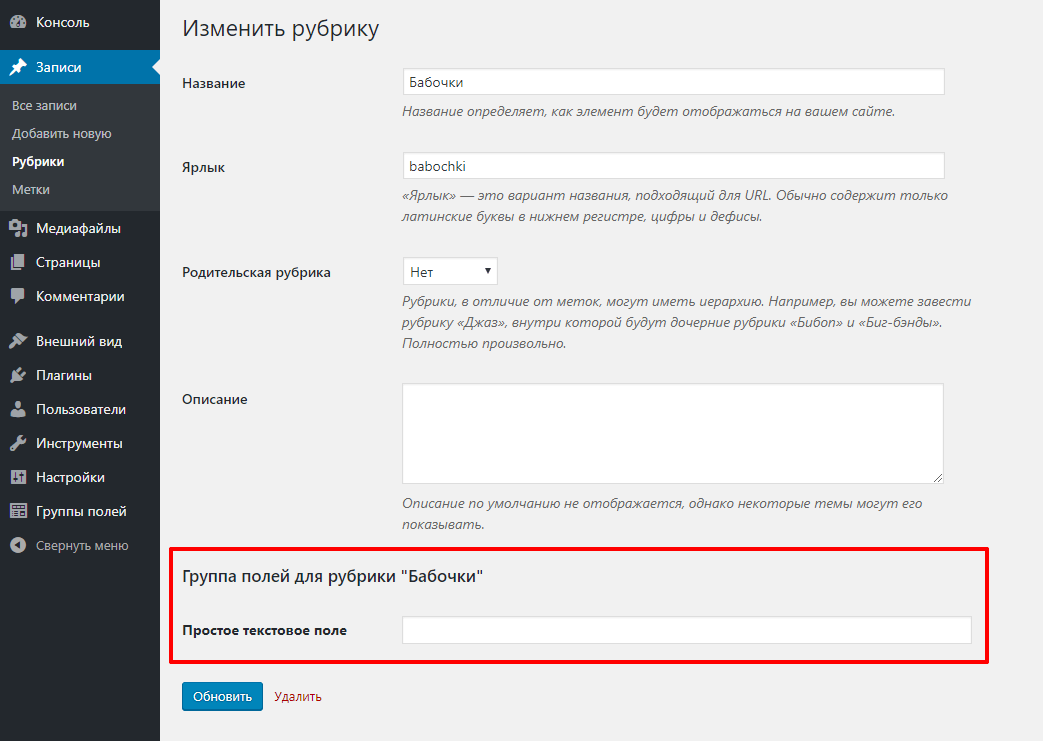
We’ve added the necessary data to the dropdown list; our selection is saved, but ACF doesn’t know what to do with the saved data. Let’s tell it:
add_filter( 'acf/location/rule_match/category_id', 'acf_location_rules_match_category', 10, 3 );
function acf_location_rules_match_category( $match, $rule, $options ) {
	$screen = get_current_screen();

	if ( $screen->base !== 'term' || $screen->id !== 'edit-category' ) {
		return $match;
	}

	$term_id       = $_GET['tag_ID'];
	$selected_term = $rule['value'];

	if ( $rule['operator'] == '==' ) {
		$match = ( $selected_term == $term_id );
	} elseif ( $rule['operator'] == '!=' ) {
		$match = ( $selected_term != $term_id );
	}

	return $match;
}
This code checks whether we are on the category edit page specified in the option. If Yes, we return true and the form is displayed. We also accounted for the situation where, when building the condition in the options, it’s specified as “Not equal”.
At this point, we could stop, but there is a problem: some fields work via AJAX (file, image, etc.). During AJAX requests, some global variables are missing that our code needs, so errors start appearing in the log. Therefore, you need to check whether it’s the admin area and not an AJAX request—then apply our code:
if ( is_admin() && ! wp_doing_ajax() ) {
	// Our code
}
Next, you only need to output the field contents for the category in the appropriate place in the template. If the template for categories is generic, then use the conditional tag is_category().
Full code from the article
