Adding Fields to Taxonomy Terms
Advanced Custom Fields (ACF)- All ACF Functions
- All ACF Hooks
- Registering Fields via PHP
- Adding Fields to a Specific Category
- Adding Fields to Taxonomy Terms
- Local JSON Function
In this guide, we’ll look at the process of creating arbitrary fields for terms of any taxonomy and outputting their values in a theme template.
Terms can be categories (categories), tags, or an arbitrary taxonomy—for example, WooCommerce product categories, their attributes, and so on.
Useful articles:
- Storing ACF data in a custom table, original of this article: https://polevaultweb.com/2018/11/acf-repeater-custom-table/
To register a custom taxonomy, use register_taxonomy(), and also read about what taxonomies in WordPress are.
Adding Fields
With Advanced Custom Fields, adding arbitrary fields to taxonomy terms is very simple—here’s what you need to do:
- In the “Custom Fields” menu, select the “Add New” submenu to create a new group of arbitrary fields.
- Add the field types you want to see when adding and editing a term.
- In the “Locations” section, select a condition so that the field group is displayed for terms of the required taxonomy. For example, in the screenshot below, the condition for showing the field group for categories is selected.
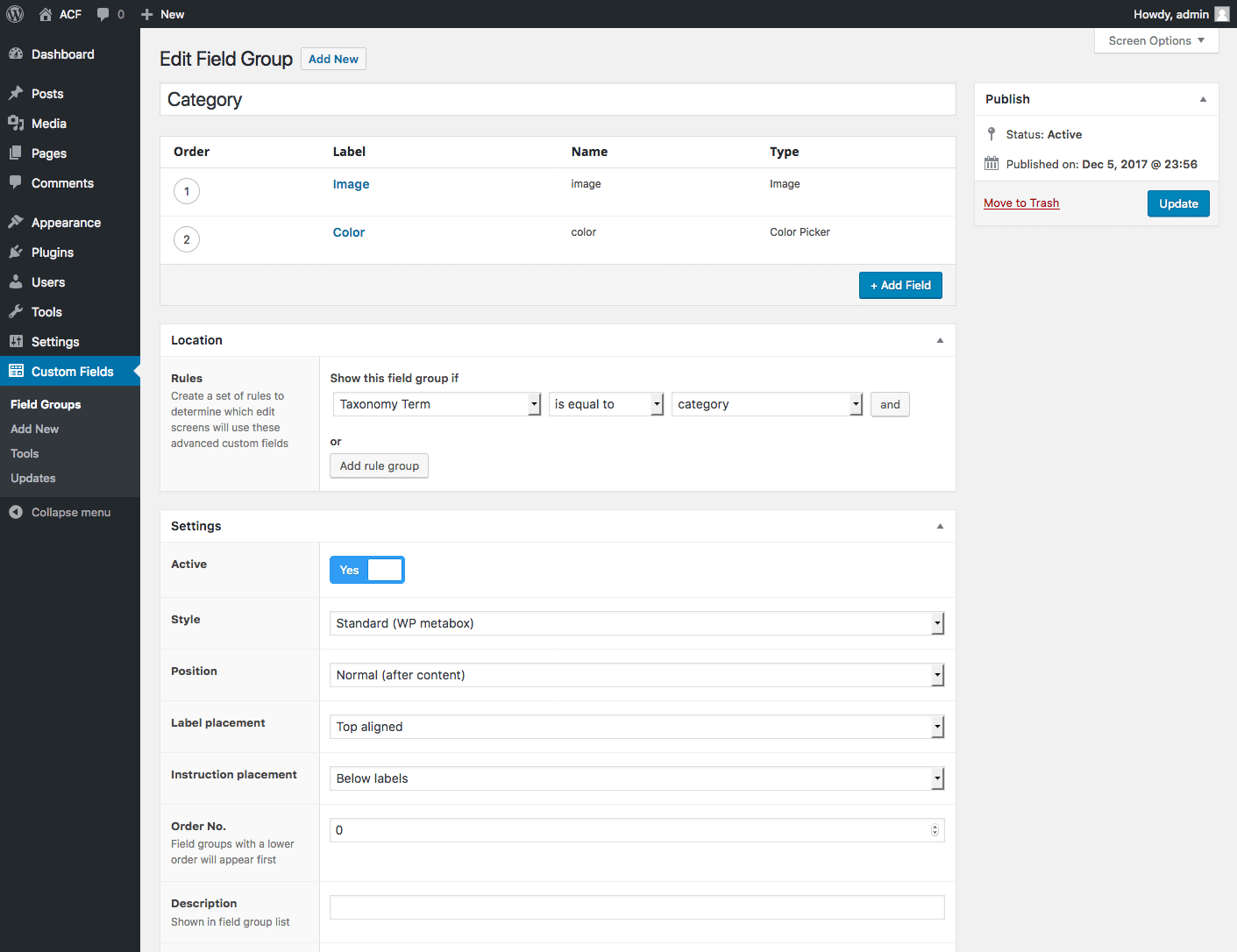
Editing Fields
After the field group has been created and the taxonomy terms for which to display it have been specified, when adding a new term or editing an existing one, you can see our fields and enter values. In our example, these are the standard WordPress categories.
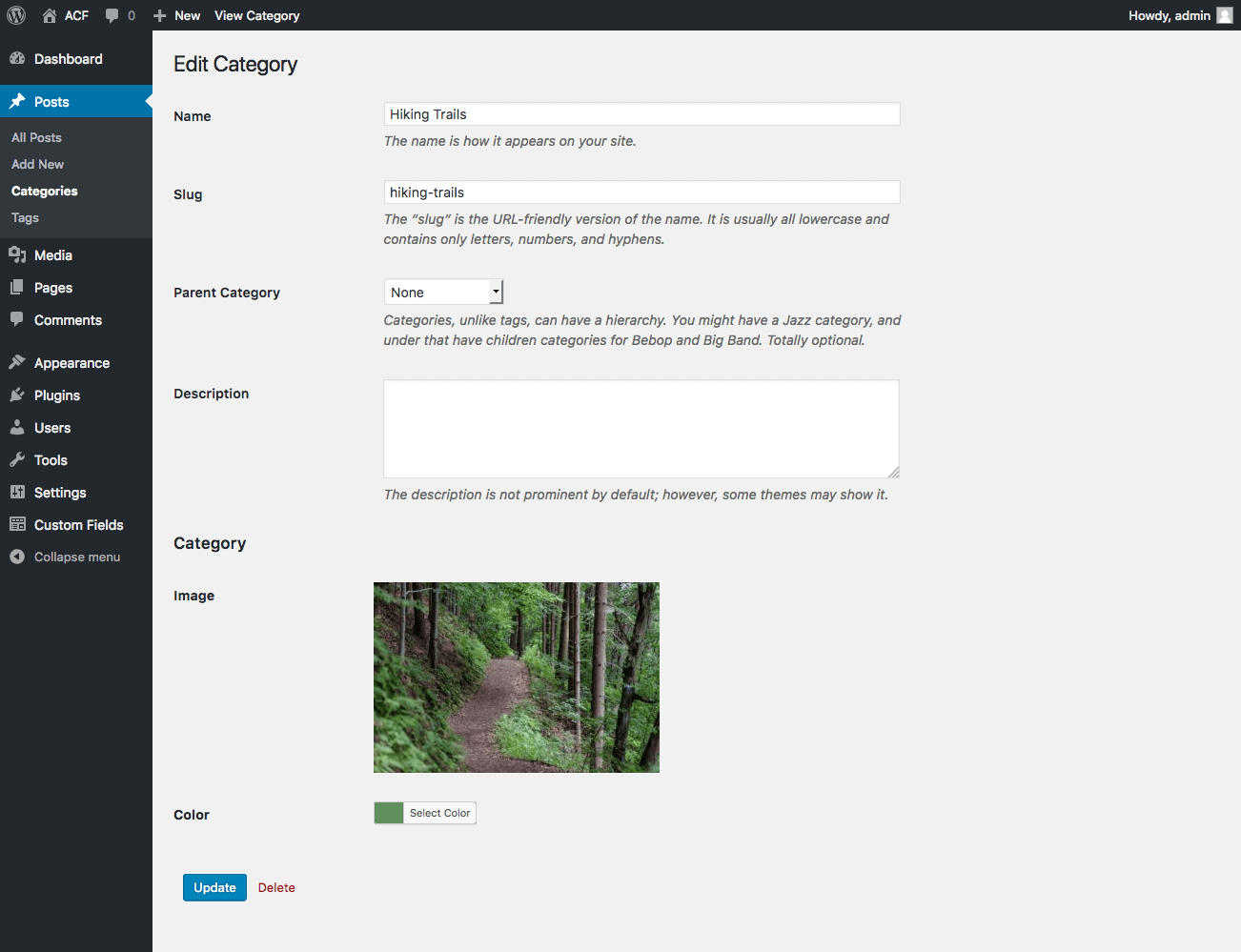
Displaying Field Values
To output field values, you need to edit the template code of the archive page for the taxonomy—for example, for Categories it is category.php, for tags - tag.php, or the common template taxonomy.php/archive.php. Depending on your theme, you can also use filters or template parts to customize.
To easily determine which file to edit, read the article Theme File Hierarchy (Templates).
Setting up HTML code for a WordPress taxonomy can be done easily by editing the file category.php, tag.php, or taxonomy.php in your theme. Depending on your theme, you can also use template parts or filters to configure the HTML.
In our case, we added arbitrary fields to Categories, so we’ll edit the category.php file using the theme Twenty Seventeen. In this template, we’ll output the category image right after the site header as a background and set the post title colors.
<?php
/**
 * Category archive page output template
 *
 * @link /handbook/theme/theme-files-hierarchy
 *
 * @package WordPress
 * @subpackage Twenty_Seventeen
 * @since 1.0
 * @version 1.0
 */

get_header();

// Get data of the current term (category)
$term = get_queried_object();

// Get values of arbitrary fields
$image = get_field('image', $term);
$color = get_field('color', $term);

?>
<style type="text/css">

	.entry-title a {
		color: <?php echo $color; ?>;
	}

	<?php if( $image ): ?>
	.site-header {
		background-image: url(<?php echo $image['url']; ?>);
	}
	<?php endif; ?>

</style>
<div class="wrap">

	<?php // The remaining template code follows ?>
As a result, we’ll get the following output:
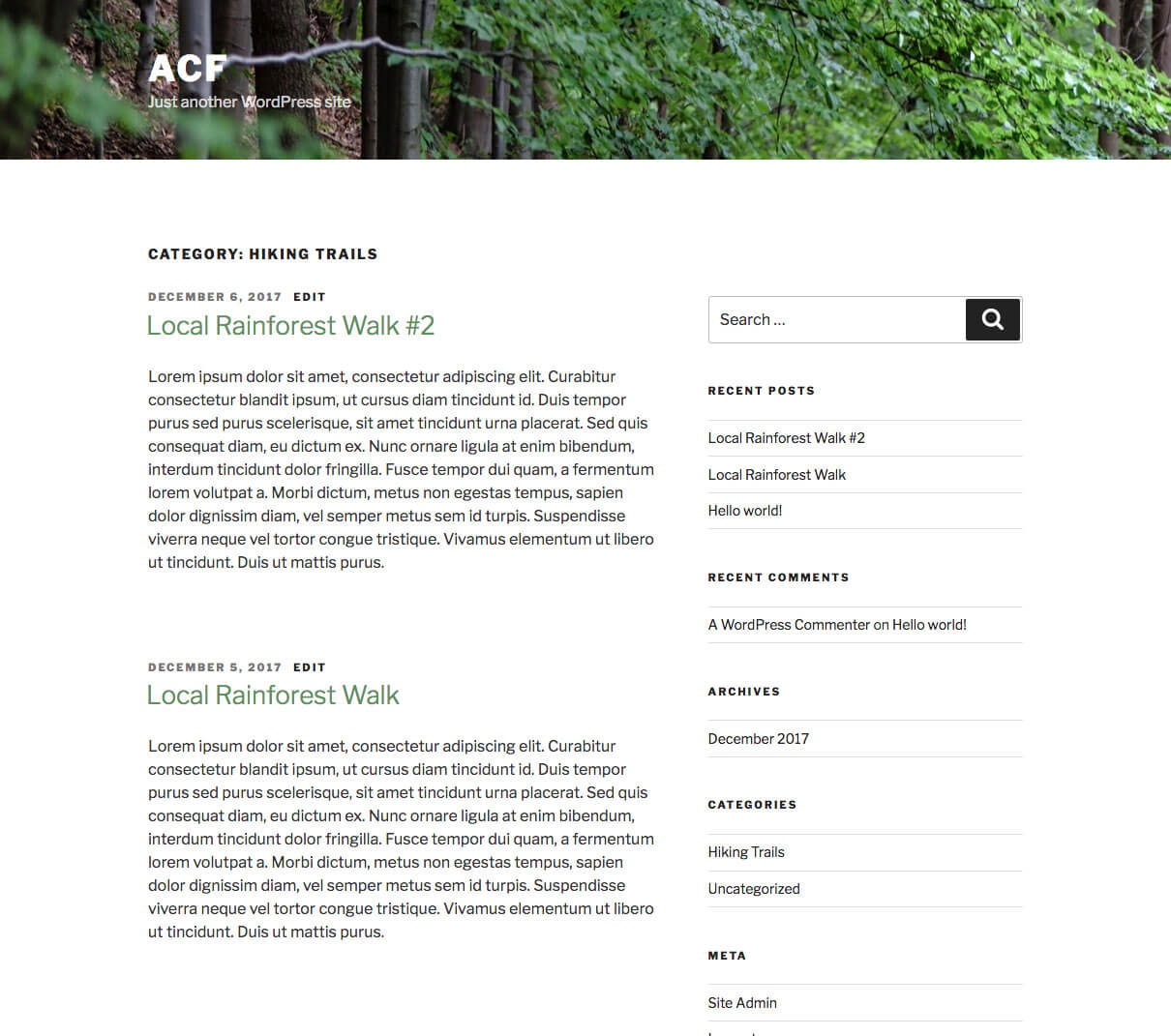
Outputting Fields of a Specific Term
If you need to output the value of an arbitrary field in a term—not from the term template—use the following options by specifying them as the second argument in the get_field()/the_field() functions:
| Example | Format | Description |
|---|---|---|
category_123 |
$taxonomy . '_' . $term_id |
The string contains the taxonomy name and the term ID. |
term_123 |
term_' . $term_id |
The string contains the word term and the term ID. Added in version 5.5.0. |
WP_Term |
Term object. It can be obtained in many ways, for example with the get_term() function. |
For example, let’s say we have a test field named my-field for the standard WordPress categories and we need to output its value:
// Option 1
the_field('my-field', 'category_123');

// Option 2
the_field('my-field', 'term_123');

// Option 3
$term = get_term( 123 );
the_field('my-field', $term);
Auto-Embed
When you use a “Visual Editor” field type (WYSIWYG) for a taxonomy term, auto-embed may not work. The auto-embed function works only in posts. That is, if you output the category page in the front end the content of the “Visual Editor” field, which contains a link to a YouTube video, it will not be converted automatically. To solve this problem, use the following code—for example, in category.php:
// Variables
$queried_object = get_queried_object();
$taxonomy = $queried_object->taxonomy;
$term_id = $queried_object->term_id;

$GLOBALS['wp_embed']->post_ID = $taxonomy . '_' . $term_id;