Best Media Library Folders Plugins for WordPress
Managing attachments in the WordPress media library with ease could become crucial at the moment when your WordPress website is starting to have a large amount of media files.
I can say it for certain, because there was a period when I received these kinds of requests from my clients quite often.
Another proof – if you check some of the most popular free media library folder plugins in the official WordPress.org repository, you will probably be surprised by how many active installations these plugins have.
So, in this article, I would like to guide you through the easy-to-use and attractive plugins in that topic – both free and premium versions.
#1 Simple Media Library Folders
Simple Media Library Folders appeared in the WordPress plugins space not so long ago. However, it has already got multiple releases where all the critical bugs were fixed and must-have features added.
Here is how your folder stucture will look like when you have this plugin installed:

Some of its advantages:
-
Drag-and-drop media files to folders (though I don’t think anyone can be surprised by this feature, any media folder plugins I know can also do that).
-
Create child folders (3 levels of subfolders are supported).
-
Allows you to upload media files straight to a selected folder.
-
Simple and intuitive UI in the admin dashboard.
-
Allow only specific user roles to manage folders.
-
An import tool that allows migrating from other popular media library folder plugins in one click.
-
Compatibility with WordPress Multisite – more specifically, if you’re using a shared media library in your multisite network.
- Performance, even in details, for example plugin uses the default WordPress “Dashicons” icons instead of importing custom ones like other plugins do. More critical performance points are also in check – the plugin doesn’t use heavy database queries and doesn’t include excessive amount of JS and CSS into your admin dashboard.
But the main feature is probably its simplicity – if you don’t like when your WordPress admin dashboard gets overwhelmed with a lot of UI elements, ugly icons, and unnecessary notifications, then this plugin is definitely for you.
The main disadvantage is probably that this plugin doesn’t have a free version. However, the price is below average compared to other plugins.
What does the plugin use as folders for media files? Simple – it is just a custom taxonomy. It means that no extra database tables will be created if that’s something you are concerned about.
#2 Real Media Library
This plugin is probably the oldest; it has both free and paid versions. For example, you can install Real Media Library from the official WordPress.org plugins repository.
This is how your media library is going to look when you create folders with this plugin:
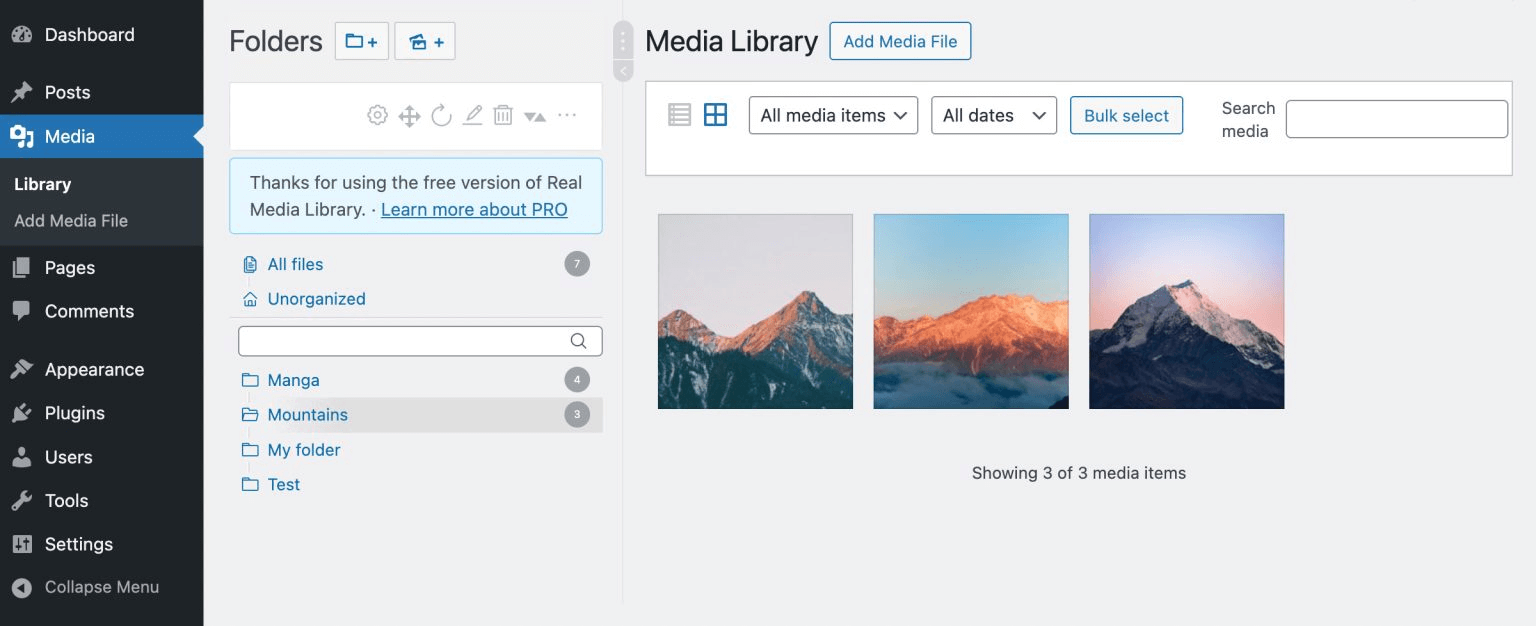
Now, let’s talk about the plugin advantages:
-
Aside from regular folders, this plugin allows you to work with “Galleries” and “Collections”. To be honest, I personally do not 100% understand these types of entities; however, if having folders is not enough for your media management goals, then it is probably exactly what you need.
-
Drag-and-drop media files to folders.
-
Allows working with subfolders (in a PRO version only).
Folder search. -
Import and export tools are also available in this plugin (PRO version).
- According to their documentation, the plugin is translated into 17 languages. As I said, it is quite an old plugin, which has been developed and maintained for quite a long time. Having a large customer base from different countries is a logical outcome, and customers sometimes request translations of your products.
When speaking about disadvantages, I could highlight at least two of them:
-
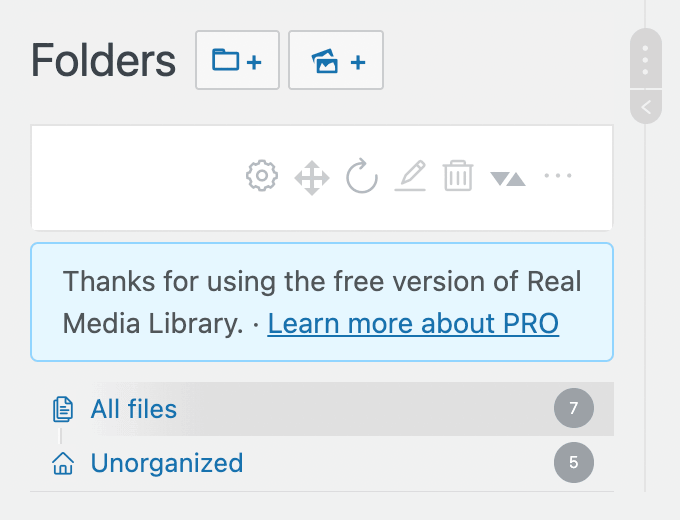
First of all, if you’re using a free version of the plugin, you will see the notifications about how important it is to upgrade to the PRO version everywhere, for example (and not only), right before your folder structure here:
- Second, and I didn’t have a chance to test it on my projects, but I read a lot around the internet that this plugin becomes sluggish when you have a lot of media files and folders in your library. Considering that this plugin has a lot of functionality (remember Galleries and Collections?), it could probably be the case.
The plugin creates a bunch of custom tables in the database for Folders, Galleries, and Collections.
#3 Wicked Folders
Another media library management plugin that is available in both free and paid versions.
However, Wicked Folders plugin is very unique, because it allows you not only to create folders in the media library but also for custom post types, for example, for Pages:
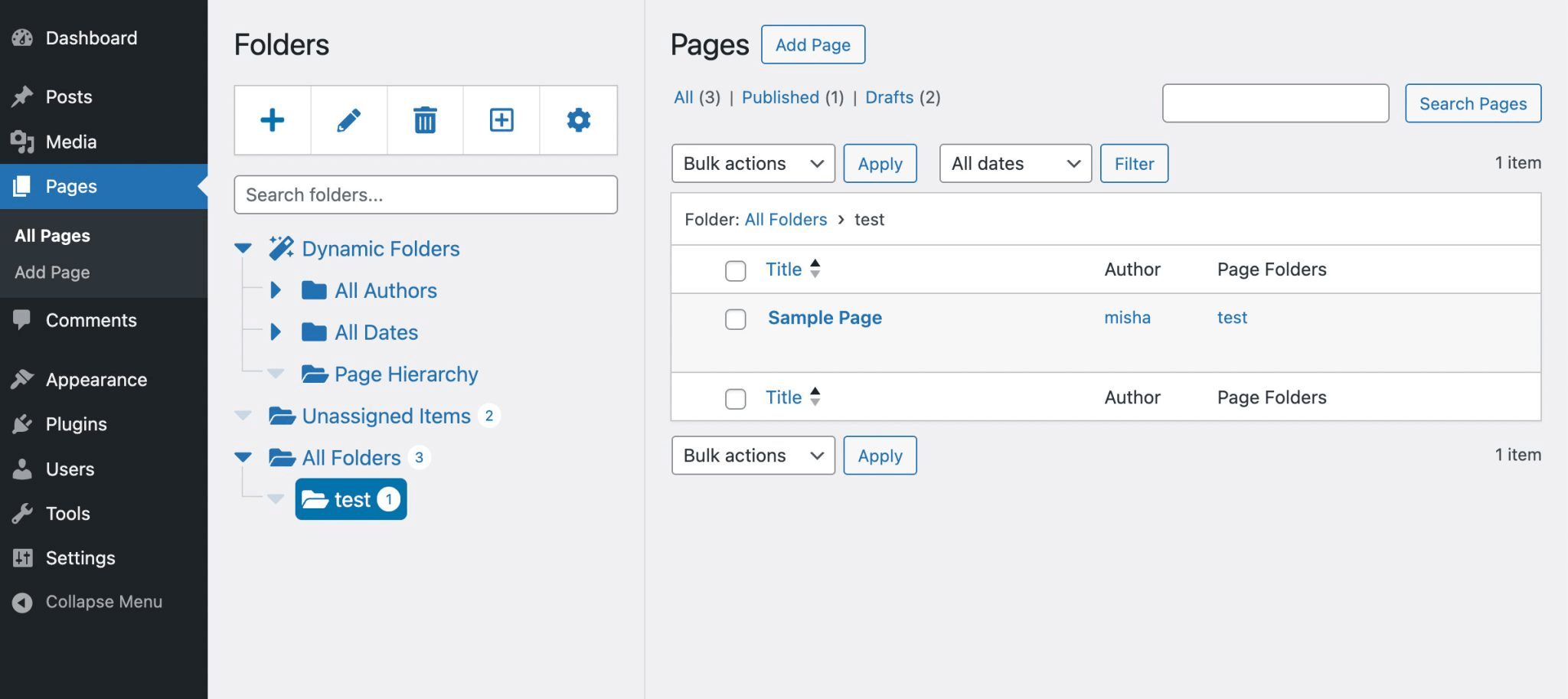
Key features:
-
Create folders for any custom post type and control which CPTs are allowed to be organized by folders.
-
Drag and drop media files, posts to folders, and the folders themselves to reorganize them (it is kind of a standard feature of all the media library folders plugins, as you could have guessed by now).
-
Dynamic folders – it is another unique feature of this plugin. It allows you to automatically organize posts/media files, let’s say by author or another criteria (you can think of it as Smart folders in the Notes app).
- Allows setting folder permissions by user role.
About the disadvantages:
-
You can not create folders for the media library in the free version of the plugin. Yes, this feature seems like the most basic one, but it is only available in the PRO version of the plugin.
-
The design of the folders could be better, honestly.
- This plugin also uses a custom taxonomy as folders. No extra database tables will be created.
#4 Happy Files PRO
Last but not least, we are going to talk about another very popular media library folders plugin, which is Happy Files PRO.
This plugin is only available in a PRO version, and I am actually a fan of this approach. Of course, sometimes it is nice to check the plugin in a free version and then, if you like it, to upgrade to PRO. But most free versions of the plugins aren’t usable. Of course, there are always exceptions to this rule; for example, I used to have the BackWPUp plugin’s free version on my website for quite a long time.
Here is how the folders look like:
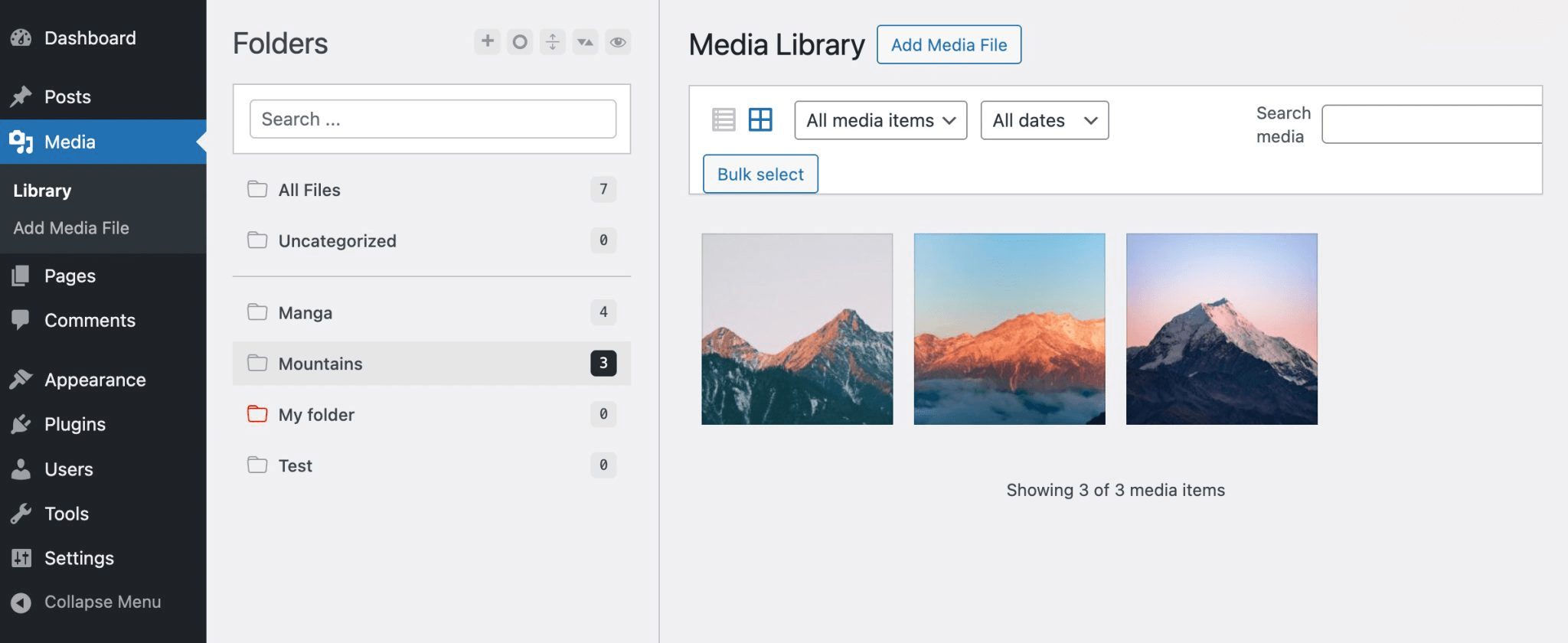
Key features:
-
It has all the standard features like: drag and drop to folders, subfolders, and renaming existing folders.
-
Allows you to create galleries from folders and insert them into posts as a Gutenberg block or a shortcode. It is quite a unique feature for this plugin.
-
Minimalist design, however, when you download the plugin, it has a different design than the screenshots on their website (which is also good). For some reason, the developers decided not to update the website landing page of this plugin.
- Import tool from other media library folders plugins.
You can set custom colors for specific folders.
Disadvantages:
-
It seems like this plugin is not very well-maintained. Probably it is because of their pricing option, I mean it comes only with a lifetime license for a price of a yearly license for any other similar plugin. In other words, at some point, you might have a large customer base with unlimited support licenses, and you won’t get paid for that on a yearly basis. So, there is a big chance that this plugin will be abandoned in the future.
- The UI animations look a bit glitchy, for example, when you move a media file to a folder, the whole media library is getting refreshed.