Blocks (Gutenberg)
The Gutenberg block editor — is a modern content editor in WordPress, based on a modular block system. It replaces the classic editor and allows you to easily create complex page layouts using a visual interface.
Blocks — are individual elements (text, headings, images, etc.), each with its own settings. Content is assembled from these blocks and saved to the database.
The editor is similar to a page builder (Elementor, WPBakery). With correct theme styles you can achieve identical content in the admin and on the site.
Navigation
-
Source Code: https://github.com/WordPress/gutenberg
Inside the repository there is a folder docs/ — this is the developer docs.
It is essentially a draft/source for https://developer.wordpress.org/block-editor (the official documentation site).
docs/contains more up-to-date information than the site, because edits go to GitHub first and then are synchronized. -
Documentation: https://developer.wordpress.org/block-editor/
-
Storybook: https://wordpress.github.io/gutenberg/
-
Block examples: https://github.com/WordPress/block-development-examples/tree/trunk/plugins
-
Test site with blocks: https://wordpress.org/gutenberg/
- Somponents guide: https://awhitepixel.com/wp-content/uploads/2020/07/awhitepixel-gutenberg-components-guide.pdf
More useful links:
- https://wp-gb.com/ - for developers - provides visual documentation of React components.
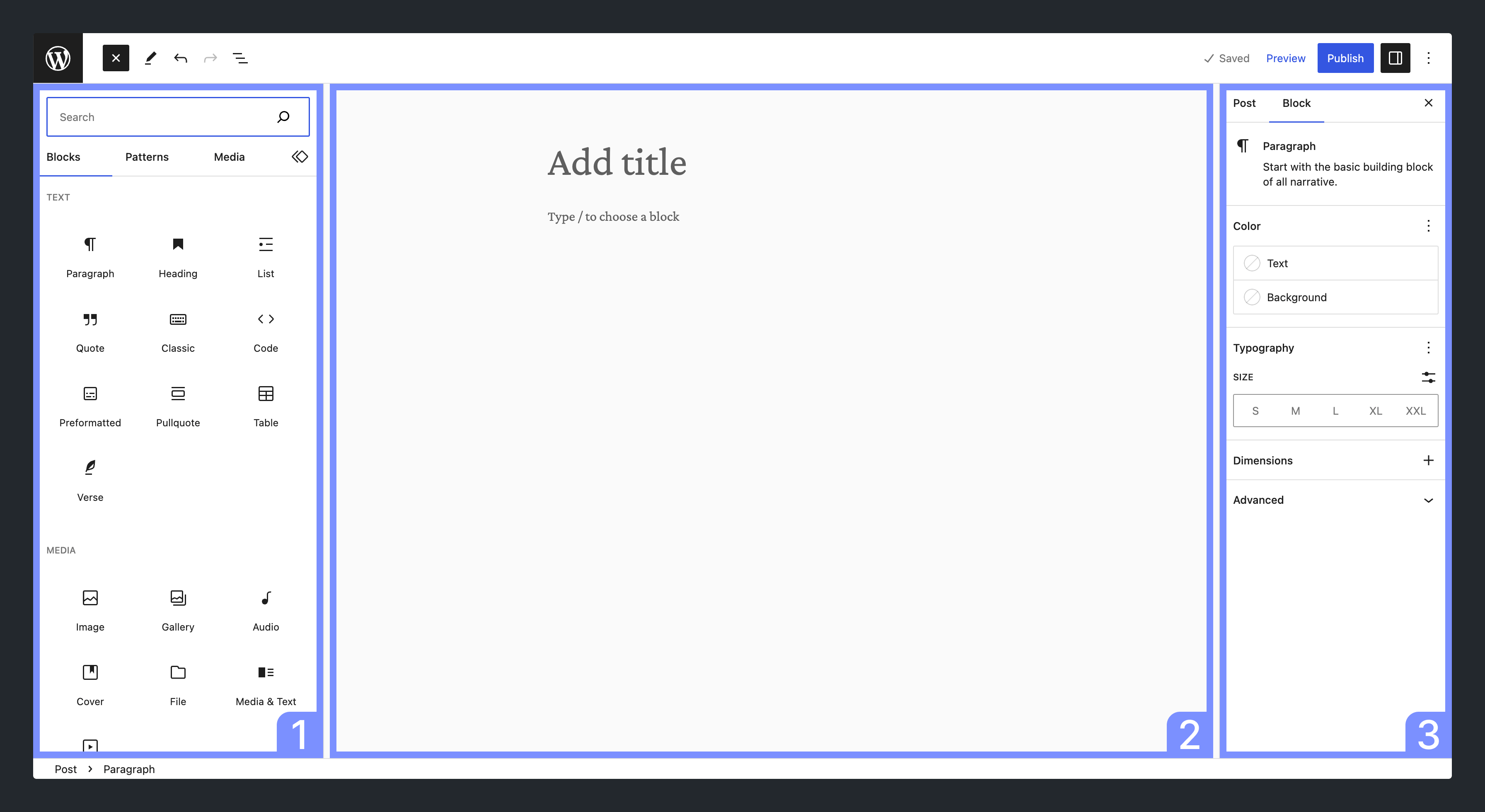
Main elements of the editor:
- Inserter — block insertion panel;
- Content — editable block area;
- Settings — panel of block or post parameters.